
Fleet Agents
A Fleet Agent is a persistent AI teammate managed by HQ. Each agent has its own identity, company membership, vault-backed workspace, cloud runtime, and optional Slack, email, and Telegram channels.
Fleet Agents are not the same as HQ workers. A worker is a reusable task definition that runs inside an HQ session. A Fleet Agent stays available between conversations, can be addressed directly, and acts under its own company identity.
What an agent includes
| Layer | What HQ manages |
|---|---|
| Identity | Agent name, handle, profile, company email, and membership |
| Access | Company role, groups, ownership, and vault grants |
| Runtime | Provider authentication, model settings, process lifecycle, and health |
| Channels | Slack, email, and Telegram connections |
| Operations | Provisioning progress, start and stop controls, reauthentication, diagnostics, and removal |
The monthly price depends on the selected box size and the host company’s plan. HQ Console and hq agents provision show the applicable company-specific price before creation. Contract pricing, plan inclusions, credits, or sponsorship can change the amount invoiced.
The creating company remains the agent’s host company. Another company can add the same agent as a member or admin without creating a second agent, but that membership does not grant files, secrets, groups, or connectors by itself.
Typical workflow
- Create the agent in HQ Console or with
hq agents provision. - Choose its box size and review the company-specific monthly price.
- Choose its provider and complete the matching authentication flow.
- Review its configuration.
- Add any communication channels.
- Assign the right role, groups, owners, and vault access.
- Use health signals and lifecycle controls to keep it available.
Where to manage agents
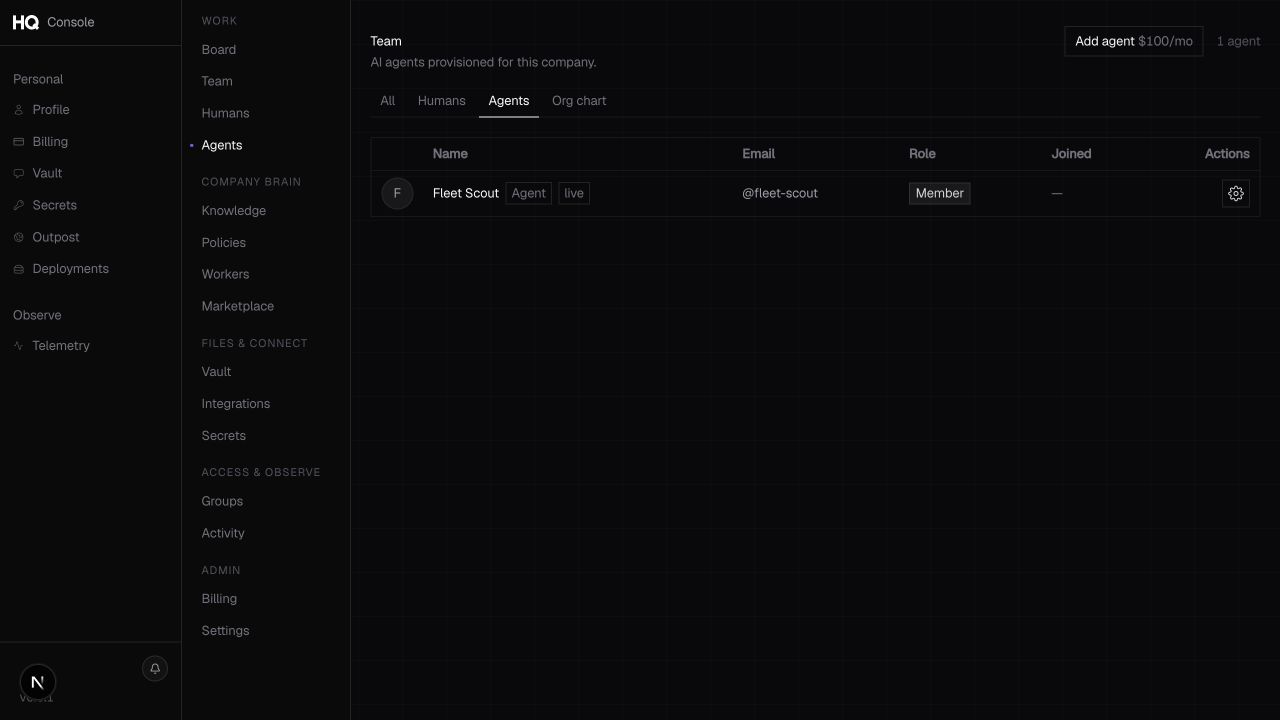
Open a company in HQ Console and choose Bots. The roster shows each agent’s profile, runtime state, owner, and available actions. Choose the Settings gear on an agent row to open one compact workspace for configuration, access, capacity, runtime health, and channel connections.
The Console is the recommended surface for guided setup and day-to-day administration. The hq agents commands provide creation and a smaller operational interface for scripts and terminal workflows. Both creation routes expose the same size ladder and company-specific cost before provisioning.